Help center · Locations and keywords · 2 min read
Which Google Maps link to use
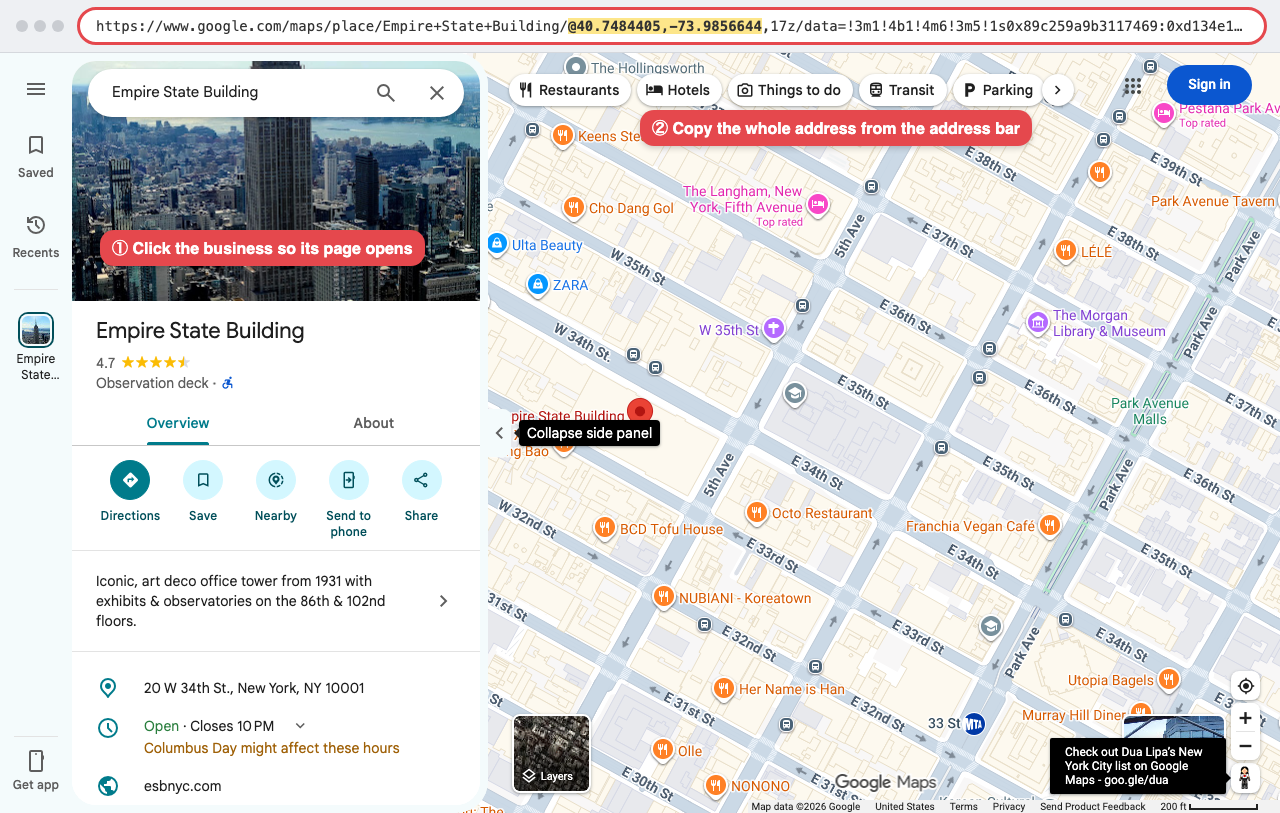
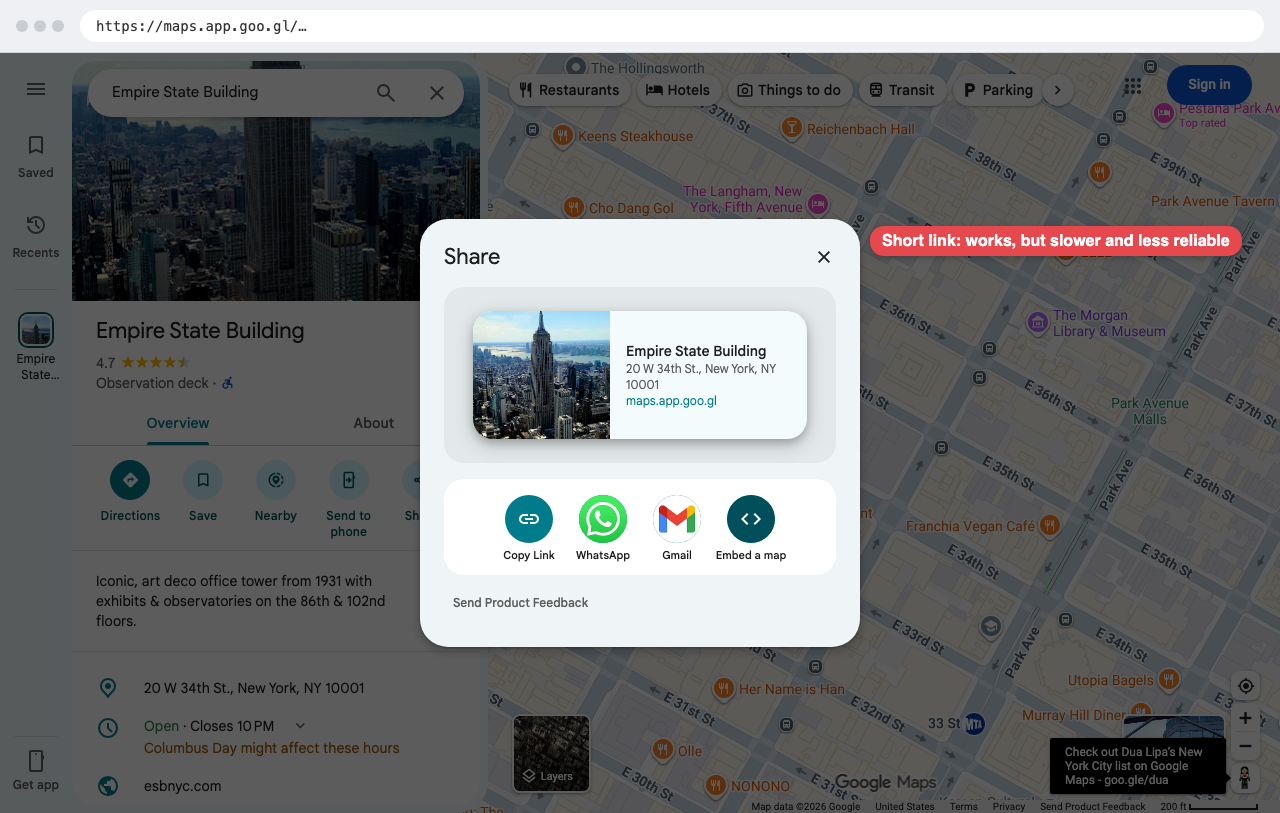
Copy the full business address from the browser address bar, not the short Share link.
Before you start: Role: owner, admin or member.
What this is for
To build the grid we need the exact point where the business sits. A link has to carry that point. The long Google Maps address does. The short link from Share → Copy link (it starts with maps.app.goo.gl) is also accepted: we open it and read the coordinates, which takes a few seconds. If that fails you see “Could not extract coordinates from URL”; then use the long address.
Steps
- On a computer, open google.com/maps and search for the business by name.
- Click the business in the results so its own page opens (photos, rating, address on the left).
- Click the address bar of the browser and copy the whole address. It starts with
https://www.google.com/maps/place/and has@followed by two numbers. - Paste it into Add location in Local Grid.
What you will see
After you paste the address, the location is created and its grid appears on the map. A short link takes a few seconds longer.
Short link did not work?
This can happen with a link sent from a phone.
- Paste the short link into the address bar of a desktop browser and press Enter.
- Wait until the business page opens and the address bar changes.
- Copy the new, long address from the address bar and use that one.
Common problems
- “Could not extract coordinates from URL.” The link is a short link or has no
@numbers. Use the steps above. - The link opens a list of places. The address has
/maps/search/in it. Click one business in the list first, then copy the address. - The wrong business is added. The link was copied before the page finished loading. Check the name on the left, then copy again.
Next
Last verified: 2026-10-12 · Local Grid 7a49ba6