Help center · Team and access · 4 min read
Team and roles
Invite people, choose a role, resend or revoke an invitation, and what each role can do.
Before you start: Role: owner or admin to invite. Invitation roles: admin, member, client viewer.
What this is for
Everyone works in one organization. Give each person the role their job needs.
Roles
- Owner: everything, including billing. An organization has one owner who is set at sign-up.
- Admin: manages the team and invitations, runs scans and edits locations.
- Member: runs scans and edits locations. Cannot invite people.
- Client viewer: read-only. Sees every location unless an owner or admin limits them to chosen locations.
Limit a client viewer to chosen locations
An agency usually wants a client to see only that client’s locations.
- When inviting: choose the role Client viewer, then tick the locations under Locations this viewer can see.
- Later: in the Members table press Change in the Locations column, tick the locations and press Save.
Leave every box unticked to give access to all locations. A limited viewer does not see the other locations anywhere: not in the list, not in schedules, not by direct link. The limit applies to client viewers only; admins and members always see all locations.
If you delete every location a viewer was limited to, the viewer sees no locations until you choose new ones. The Members table then shows None: the chosen locations were deleted.
Steps
- Open Team on the Locations page.
- Enter the email and choose a role, then Send invitation. The invitation is valid for 7 days.
- The person opens the link, sets a password (if they are new) and accepts. If the email already has an account, they enter that account’s password to accept.
- To resend, press Resend. To cancel, press Revoke: the old link stops working at once.
What you will see
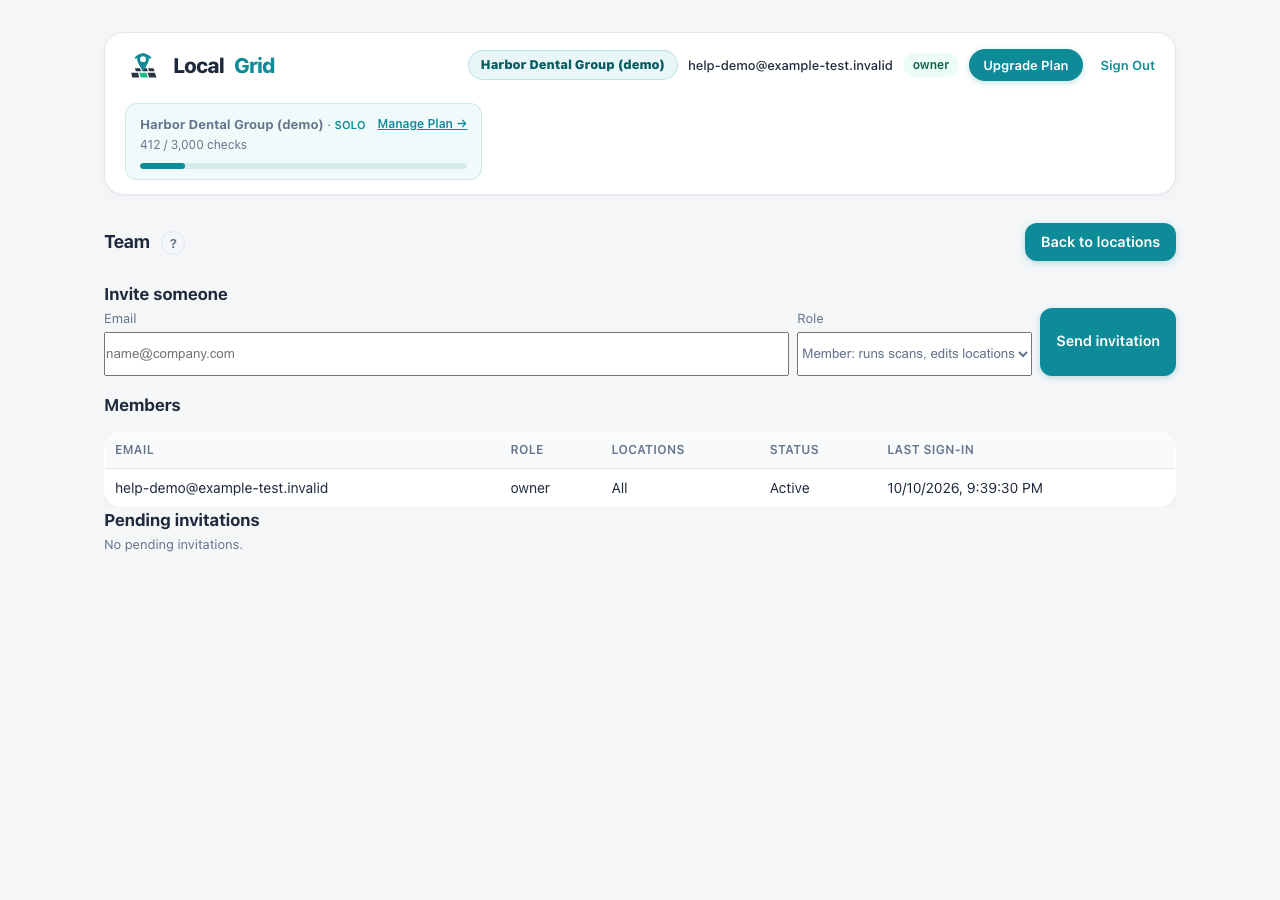
The Members table lists everyone with their role and status. Pending invitations list the email, role and expiry date.
Common problems
- “Invitation is invalid or expired.” Ask for a new invitation; links are one-time and expire after 7 days.
- “This email already has an account.” Enter the password of that account. We do not reset or show passwords.
- I cannot see Team. Only owners and admins see the Team page. A member or client viewer who needs it asks an owner or admin.
- I accepted an invitation but see my old organization. Reload the page and pick the new organization in the menu at the top, next to your email.
- A client viewer says a location is missing. Their access is limited to chosen locations. Press Change in the Members table and tick the location.
- “business_ids must be a list of location ids of this organization.” A chosen location was deleted meanwhile. Reload the Team page and choose again.
- I cannot edit a location. Client viewers are read-only. Ask an owner or admin to change your role.
Error codes covered here: FORBIDDEN
Next
Last verified: 2026-10-10 · Local Grid e06200a